
An AI chatbot for customer support on your website
Questions about shipping, returns and services come up every day. Cogitas searches the content you choose and helps visitors directly on your website. Your team can pick up conversations that need personal attention.
The questions your customers ask every day
Shipping and returns
“How do I start a return?” The assistant looks for the procedure in your published policy and can point the customer to the relevant page.
Services and terms
“Is installation included?” Cogitas searches for offer details in the pages and documents you have added to its knowledge base.
Product guidance
“Where are the instructions for this model?” Your guides and FAQs help the assistant direct customers to the relevant information.
From a question to its source
A customer asks on your website
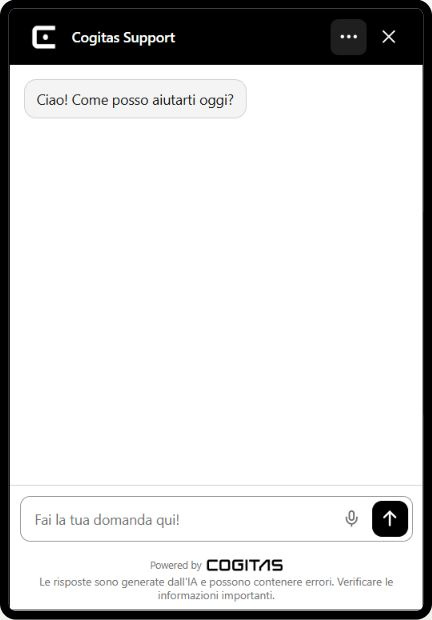
The widget receives the question where the visitor needs help, including outside your team’s working hours.
Cogitas consults your content
The search uses information available in the knowledge base. You choose which sources to display alongside answers.
Your team joins when needed
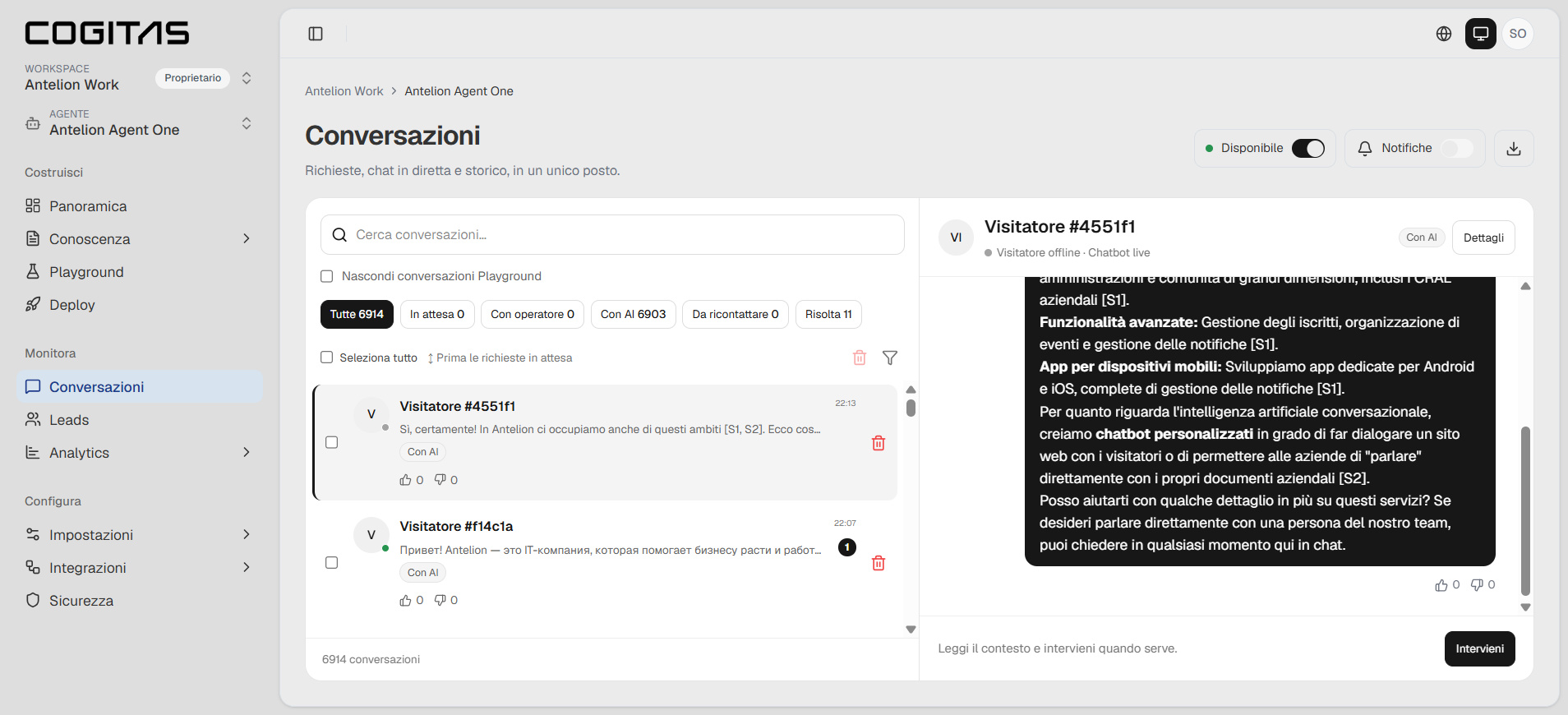
When an order needs checking or a request needs individual attention, the customer can ask for your team. You can read the conversation and join the chat.
The request arrives with its context
The conversations screen shows the customer’s message and the answers already received. Set your team’s availability and join the chat when needed. While the team is offline, the flow can collect a request and contact details for a follow-up.
Prepare your first support assistant
Choose the information it should use
Start with help pages, service terms and FAQs. Add documents or curated answers for the questions you receive most often.
Test real customer questions
Check answers and sources, review questions with insufficient information and fill content gaps before publishing.
Publish and improve
Install the widget, configure requests to your team and review conversations to find answers that need more detail.
Questions about customer support with Cogitas
- Which sources can the chatbot use?
- Build its knowledge base from website pages, documents and FAQs. The quality and freshness of that information affect the answers the assistant can give.
- Can it answer questions about order status?
- General shipping policies can be included in the knowledge base. For a specific order, set up a handover to the team that can check the customer’s record.
- How do I keep information up to date?
- Choose how often your website pages are reread. Review documents and FAQs when your procedures or terms change.
- How do I choose a plan?
- Consider the number of assistants, resources and messages you expect to use. The pricing page lists each plan’s allowances so you can compare them with your support volume.
A collaborative environment where people and AI work as a team.
There are moments when a human makes the difference. Cogitas hands off the conversation to your team with questions, answers, and context already prepared.
The customer picks up right where they left off. Your team can focus on how to help them.
One request. Same conversation.
Visitors can request a human agent directly in chat. If the team is unavailable, they can leave a request and contact details.
Enter knowing exactly what's needed.
Read what the customer asked and the answers received. Then join the conversation using the Take over button.
Your next intervention starts here.
Requests, live chat, and history: find the conversation and pick up where you left off.
- 1Decide when to be available
Set team availability.
- 2Find the context
Read the history on the same screen.
- 3Do your part
Join the chat when your help is needed.